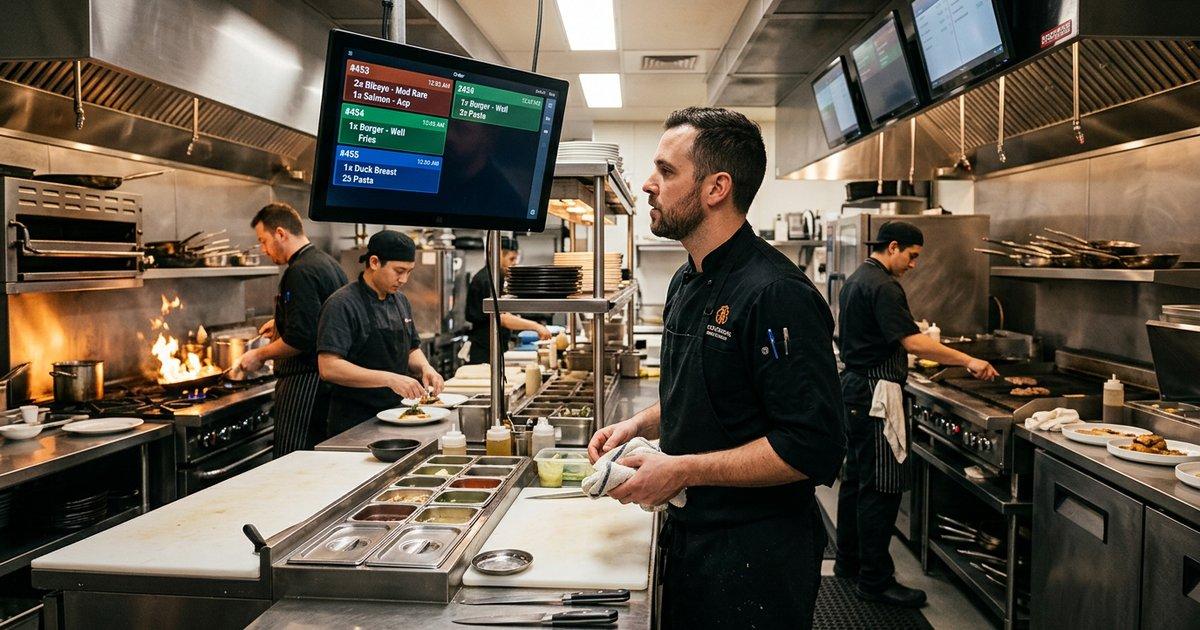
Restaurants increasingly depend on interconnected digital systems to manage payments, accounting, inventory, kitchen operations, employee workflows, customer connectivity, surveillance, and online ordering. Reliable network infrastructure is therefore essential to operational continuity, financial security, and customer experience.
This white paper presents a practical network architecture for mid-sized restaurants, combining a bridged ISP WAN connection, a Cisco Meraki MX security appliance, D-Link 24-port managed switches, VLAN-based segmentation, PoE wireless access points, PoE IP cameras, Nagios monitoring, and centralized log analysis.
The architecture separates critical business systems from guest and IoT devices while maintaining controlled connectivity between authorized services. It also establishes a foundation for proactive network management, security incident detection, and business continuity.
The proposed solution assigns complementary roles to three organizations:
- KeenComputer.com: Network implementation, cybersecurity, infrastructure integration, and managed IT operations.
- IAS-Research.com: Architecture design, security validation, applied research, performance analysis, and technical assurance.
- KeenDirect.com: Restaurant digital commerce, online ordering, operational integration, and business growth enablement.
The central finding is that a carefully segmented, monitored, and professionally managed network can reduce operational risk while supporting restaurant growth without requiring an unnecessarily complex enterprise infrastructure.
Research White Paper
Hospitality IT Infrastructure • Network Architecture • Cybersecurity • Managed Services
Secure and Resilient Network Architecture for Mid-Sized Restaurants
Bridged WAN Connectivity, Cisco Meraki MX Security, D-Link Managed Switching, PoE Wireless Infrastructure, Video Surveillance, and Network Monitoring
Prepared for: Restaurant owners, operators, IT managers, and hospitality technology partners
Strategic organizations: KeenComputer.com | IAS-Research.com | KeenDirect.com
Date: November 2026
Document type: Technical and strategic research white paper
Executive summary
Restaurants increasingly depend on interconnected digital systems to manage payments, accounting, inventory, kitchen operations, employee workflows, customer connectivity, surveillance, and online ordering. Reliable network infrastructure is therefore essential to operational continuity, financial security, and customer experience.
This white paper presents a practical network architecture for mid-sized restaurants, combining a bridged ISP WAN connection, a Cisco Meraki MX security appliance, D-Link 24-port managed switches, VLAN-based segmentation, PoE wireless access points, PoE IP cameras, Nagios monitoring, and centralized log analysis.
The architecture separates critical business systems from guest and IoT devices while maintaining controlled connectivity between authorized services. It also establishes a foundation for proactive network management, security incident detection, and business continuity.
The proposed solution assigns complementary roles to three organizations:
- KeenComputer.com: Network implementation, cybersecurity, infrastructure integration, and managed IT operations.
- IAS-Research.com: Architecture design, security validation, applied research, performance analysis, and technical assurance.
- KeenDirect.com: Restaurant digital commerce, online ordering, operational integration, and business growth enablement.
The central finding is that a carefully segmented, monitored, and professionally managed network can reduce operational risk while supporting restaurant growth without requiring an unnecessarily complex enterprise infrastructure.
1. Introduction
1.1 Background
A mid-sized restaurant may operate dozens of network-connected devices across front-of-house, kitchen, administrative, and customer-facing environments. These systems often share the same Internet connection and physical network infrastructure.
Without appropriate segmentation and security controls, a compromised guest device, vulnerable camera, or infected office workstation can threaten payment systems and business operations.
A professionally designed restaurant network must address three interdependent objectives:
- Operational reliability: Maintain connectivity for sales, kitchen operations, accounting, and business applications.
- Cybersecurity: Protect payment systems, business records, employee information, and customer data.
- Manageability: Provide centralized monitoring, configuration management, fault detection, and timely incident response.
1.2 Research objectives
This paper develops a reference architecture and implementation strategy to:
- Integrate bridged ISP WAN access with a Meraki MX security appliance.
- Deploy D-Link 24-port managed switches for wired business systems.
- Use VLANs and firewall policies to isolate business-critical services.
- Integrate PoE wireless access points and IP surveillance cameras.
- Implement Nagios monitoring and centralized log analysis.
- Define practical security and business continuity use cases.
- Establish a repeatable managed-service offering for restaurant customers.
2. Restaurant IT environment and requirements
2.1 Connected business systems
Restaurant POS Systems: How Better Technology Protects Margins | AmbizTech Insights
Kitchen Display System Benefits | KwickPOS
POS & Restaurant Management Software | Syrve
9
|
Operational domain |
Typical systems |
Business criticality |
|---|---|---|
|
Sales and payments |
POS terminals, payment terminals, receipt printers |
Critical |
|
Kitchen operations |
Kitchen displays, order printers, tablets |
High |
|
Accounting |
Accounting PCs, financial software, document storage |
High |
|
Inventory and scheduling |
Inventory applications, staff scheduling |
High |
|
Customer connectivity |
Guest Wi-Fi, online ordering, reservations |
Medium |
|
Surveillance |
PoE cameras, NVR, video storage |
High |
|
IT management |
MX appliance, switches, APs, monitoring server |
Critical |
2.2 Functional and security requirements
The infrastructure should provide:
- Reliable Internet connectivity with a defined recovery procedure.
- Segmentation between POS, accounting, guest, employee, and IoT networks.
- Secure access to payment services and business applications.
- Centralized administration of switches and wireless infrastructure.
- Monitoring of network availability, capacity, and device health.
- Centralized logging and incident investigation capabilities.
- Configuration backups and documented recovery procedures.
- Scalable infrastructure for additional terminals, cameras, and APs.
3. Proposed network architecture
3.1 Logical topology
Seamless Network Deployment: Installing Cisco Meraki MX68 & MG52 with Failover Testing
INTERNET | ISP / ONT | ISP Gateway / Modem BRIDGE MODE | Public WAN Handoff | Cisco Meraki MX Firewall / VPN / Routing Security / VLAN Policies | 802.1Q Trunk | D-Link DGS-1210-28 24-Port Managed Switch Non-PoE | +---------------+----------------+ | | | POS Accounting Nagios / Systems and Office Log Server | Tagged Switch Uplink | D-Link DGS-1210-28P 24-Port Managed PoE+ | +----------+----------+ | | Wi-Fi Access Points IP Cameras Staff / Guest SSIDs Camera VLAN | | Wireless Clients NVR
The Meraki MX is the primary security gateway. The D-Link switches provide managed Layer 2 connectivity, while the MX enforces communication policies between internal VLANs and the Internet.
3.2 Architectural principles
|
Principle |
Implementation |
|---|---|
|
Least privilege |
Permit only required network communication |
|
Segmentation |
Separate business systems using VLANs |
|
Defense in depth |
Firewall, endpoint security, switch controls, monitoring |
|
Centralized management |
MX dashboard, switch administration, Nagios |
|
Resilience |
Documented recovery, backup connectivity, configuration backups |
|
Scalability |
Modular switch and PoE capacity for future expansion |
4. Bridged WAN connectivity and Meraki MX deployment
4.1 WAN architecture
The ISP modem or gateway should operate in bridge mode where supported. In this configuration, the ISP equipment provides the physical connection and passes the WAN service to the Meraki MX rather than performing the restaurant's primary routing and NAT.
WAN traffic flow
- ISP termination: The modem or ONT receives the broadband or fibre connection.
- Bridge mode: The ISP gateway passes the WAN connection to the MX without acting as the primary router.
- WAN handoff: The MX receives the ISP-assigned public IP address or obtains the required DHCP, PPPoE, or static configuration.
- Security gateway: The MX provides firewalling, routing, VPN, and configured security services.
- LAN distribution: The MX connects to the D-Link managed switching infrastructure using a configured Ethernet interface or VLAN trunk.
4.2 WAN configuration requirements
|
Parameter |
Design requirement |
|---|---|
|
ISP gateway |
Bridge mode where supported |
|
WAN addressing |
DHCP, static IP, or PPPoE as required |
|
WAN VLAN tagging |
Configure if required by the ISP |
|
MX operating mode |
Routed mode |
|
LAN configuration |
VLANs enabled |
|
Switch uplink |
802.1Q trunk |
|
Allowed VLANs |
Explicitly defined |
|
Native VLAN |
Consistently configured and secured |
If the ISP does not support bridge mode, a supported IP passthrough or DMZ arrangement may be considered. This should be documented as an alternative design, not assumed to be equivalent to a true bridge.
4.3 Deployment and acceptance procedure
- Confirm the ISP's WAN addressing, authentication, VLAN tagging, and bridge-mode requirements.
- Configure the ISP modem or gateway and verify the Ethernet handoff.
- Configure the MX WAN interface with the required ISP parameters.
- Verify that the MX receives the expected WAN address and establishes Internet connectivity.
- Configure the MX LAN VLANs, DHCP scopes, and firewall policies.
- Configure the MX LAN port and D-Link uplink as matching trunks.
- Test routing, DNS, Internet access, and inter-VLAN restrictions.
- Document the WAN configuration and recovery procedure.
Major WAN and LAN configuration changes should be performed during a planned maintenance window.
5. VLAN architecture and firewall policy
5.1 Proposed VLAN plan
The following VLAN IDs and subnets are illustrative.
|
VLAN |
Network |
Subnet |
Purpose |
|---|---|---|---|
|
10 |
POS and payment |
10.10.10.0/24 |
POS and payment systems |
|
20 |
Accounting and office |
10.10.20.0/24 |
Financial and administrative systems |
|
30 |
Employee Wi-Fi |
10.10.30.0/24 |
Staff devices |
|
40 |
Guest Wi-Fi |
10.10.40.0/24 |
Customer Internet access |
|
50 |
Cameras and IoT |
10.10.50.0/24 |
Cameras and approved IoT devices |
|
60 |
Network management |
10.10.60.0/24 |
Infrastructure administration |
|
70 |
Servers and shared services |
10.10.70.0/24 |
Authorized local business services |
5.2 Inter-VLAN security policy
The MX should enforce a default-deny approach for inter-VLAN communication, with documented exceptions.
|
Source |
Destination |
Policy |
|---|---|---|
|
POS |
Payment processor and required services |
Allow required traffic |
|
Accounting |
Approved applications and backup |
Allow required traffic |
|
Guest Wi-Fi |
Internal networks |
Deny |
|
Cameras |
NVR and required services |
Allow required traffic |
|
Cameras |
POS and accounting |
Deny |
|
Employee Wi-Fi |
Internal business services |
Allow explicitly approved access |
|
Employee Wi-Fi |
Network management |
Deny unless authorized |
|
Nagios |
Authorized monitoring targets |
Allow monitoring traffic |
|
Infrastructure devices |
Central syslog collector |
Allow logging traffic |
VLANs provide logical separation, but firewall rules establish the actual security boundary between routed networks.
Payment network segmentation must be validated against the restaurant's payment provider and applicable PCI DSS requirements. Segmentation alone does not guarantee compliance or automatically remove systems from assessment scope.
6. D-Link 24-port managed switching
6.1 Recommended equipment
28-Port Gigabit Smart Managed Switch - DGS-1210-28 – D-Link Shop Canada
D-Link DGS-1210-28
Non-PoE
- 24 Gigabit Ethernet ports
- 4 combo Gigabit/SFP uplinks
- Managed VLAN and Layer 2 capabilities
- Suitable for POS, office, accounting, and servers
Manufacturer product information
28-Port Gigabit Smart Managed PoE Switch with 28 RJ45 and 4 SFP (Combo) Ports
D-Link DGS-1210-28P
PoE+
- 24 Gigabit PoE+ ports
- 4 combo Gigabit/SFP uplinks
- 193 W total PoE budget
- Suitable for wireless APs and moderate camera deployments
D-Link Canada product information
28-Port Gigabit Smart Managed PoE Switch - DGS-1210-28MP – D-Link Shop Canada
D-Link DGS-1210-28MP
Higher PoE capacity
- 24 Gigabit PoE+ ports
- 4 combo Gigabit/SFP uplinks
- 370 W total PoE budget
- Suitable for expanded AP and camera installations
D-Link Canada product information
Confirm exact hardware revision, firmware, feature availability, and local procurement specifications before deployment.
6.2 Switch port allocation
Example DGS-1210-28 non-PoE switch configuration:
|
Ports |
Connected equipment |
VLAN |
|---|---|---|
|
1–4 |
POS and payment terminals |
10 |
|
5–10 |
Accounting and office PCs |
20 |
|
11–14 |
Kitchen displays and printers |
10 or dedicated kitchen VLAN |
|
15–16 |
NVR and local servers |
50 / 70 |
|
17 |
Nagios server |
60 |
|
18 |
MX LAN uplink |
Tagged VLANs |
|
19 |
PoE switch uplink |
Tagged VLANs |
|
20–24 |
Expansion and spare ports |
As assigned |
Example PoE switch configuration:
|
Ports |
Connected equipment |
VLAN |
|---|---|---|
|
1–4 |
Wireless APs |
Tagged staff, guest, and IoT VLANs |
|
5–12 |
IP cameras |
50 |
|
13–24 |
Expansion devices |
As assigned |
Unused ports should be disabled and assigned to an unused VLAN.
6.3 PoE power budget
|
Device group |
Quantity |
Assumed draw |
Total |
|---|---|---|---|
|
Wireless APs |
4 |
18 W |
72 W |
|
IP cameras |
8 |
8 W |
64 W |
|
Total |
12 |
136 W |
A 193 W PoE budget leaves approximately 57 W of nominal headroom for this example. Actual device consumption, startup peaks, cable losses, and switch power allocation must be verified.
6.4 Switch security and administration
Recommended controls include:
- 802.1Q VLANs and explicit trunk allowed lists.
- RSTP and loop prevention.
- SNMPv3 where supported.
- Management access restricted to VLAN 60.
- Syslog forwarding to the central collector.
- Port descriptions and unused-port shutdown.
- Port security and DHCP snooping where supported.
- Configuration backups after approved changes.
7. Secure wireless infrastructure
Wireless access points should connect to the PoE switch using tagged trunks carrying only the VLANs required by their configured SSIDs.
|
SSID |
VLAN |
Security |
|---|---|---|
|
Restaurant-Staff |
30 |
WPA2/WPA3; enterprise authentication where practical |
|
Restaurant-Guest |
40 |
Guest isolation and Internet-only access |
|
Restaurant-IoT |
50 |
Restricted device access |
|
Restaurant-POS |
10 |
Only when wireless POS is required and approved |
Security controls should include strong authentication, disabled WPS, current firmware, restricted AP management, guest client isolation, and separate staff and guest networks.
8. PoE cameras and video surveillance
8.1 Camera architecture
D-Link PoE Managed Switch | VLAN 50 | +------+------+------+ | | | | Cam 1 Cam 2 Cam 3 Cam 4 | +----> NVR / Video Storage | Authorized Admin PC
8.2 Security controls
- Replace default credentials with unique credentials.
- Restrict camera traffic to the NVR and necessary services.
- Block unnecessary Internet access.
- Disable UPnP and unused management protocols.
- Maintain current camera and NVR firmware.
- Protect NVR storage and configuration backups.
- Define video retention and access policies consistent with applicable privacy requirements.
9. Nagios monitoring and centralized log analysis
9.1 Monitoring requirements
|
System |
Monitoring checks |
|---|---|
|
Meraki MX |
WAN availability, uplink state, VPN status |
|
D-Link switches |
Uptime, port status, errors, temperature, PoE usage |
|
POS |
Reachability and approved application checks |
|
Accounting |
Availability, disk space, backup status |
|
Wi-Fi APs |
Reachability, client count, channel utilization |
|
Cameras and NVR |
Reachability, recording, storage health |
|
Internet |
Latency, packet loss, DNS resolution |
Use SNMPv3 where supported and restrict monitoring access to the management network.
9.2 Centralized logging architecture
Logs should be collected from the MX, D-Link switches, APs, POS and accounting systems where supported, NVR, and Nagios.
A practical deployment may use rsyslog or syslog-ng for collection, with OpenSearch or Graylog for indexing, correlation, and analysis.
Operational monitoring workflow
- Collect: SNMP metrics, syslog, and service checks.
- Correlate: Relate outages, port changes, authentication failures, and firewall denials.
- Alert: Notify operators through approved email or messaging channels.
- Investigate: Use dashboards and logs to identify affected systems.
- Respond: Isolate endpoints, restore known-good configurations, and document incidents.
Nagios is not a full SIEM or intrusion prevention system. It should complement firewall security, endpoint protection, centralized log analysis, and incident response procedures.
10. Security and business continuity use cases
Use case 1 — Guest Wi-Fi compromise
An infected guest laptop connects to public Wi-Fi. VLAN 40 and MX firewall policies restrict the device to Internet access, preventing direct access to POS, accounting, cameras, and management networks.
Business outcome: Reduced risk of lateral movement into business-critical systems.
Use case 2 — POS malware or unauthorized device
A POS terminal attempts to connect to an unauthorized internal host. VLAN 10, restricted firewall rules, switch port controls, and centralized logs support containment and investigation.
Business outcome: Improved payment-system isolation and reduced exposure of financial data.
Use case 3 — Compromised IP camera
A vulnerable camera begins scanning internal systems. VLAN 50 restricts camera traffic to the NVR and approved services. The camera can be isolated without disconnecting POS or accounting.
Business outcome: Reduced IoT attack surface and improved incident containment.
Use case 4 — ISP outage during peak service
The bridged ISP connection fails during dinner service. Nagios detects the outage and alerts the operator. A configured secondary WAN or cellular failover can restore Internet access.
Local POS and kitchen functions continue only where supported by their application vendors.
Business outcome: Faster outage detection and reduced operational disruption.
Use case 5 — Accounting ransomware
An accounting workstation is compromised through a malicious attachment. VLAN 20 limits access to other business networks, while restricted file permissions and verified backups support containment and recovery.
Business outcome: Reduced risk of restaurant-wide disruption and data loss.
11. Strategic roles of KeenComputer, IAS-Research, and KeenDirect
Custom Network Rack Build & Installation Low Voltage Services | Rapid River
KeenComputer.com — Implementation and managed IT
- Network assessment and device inventory.
- Meraki MX WAN, firewall, and VLAN configuration.
- D-Link switch, AP, and camera deployment.
- Nagios monitoring and centralized logging.
- Patch management, configuration backups, and incident response.
Business Network Installation Gold Coast | IT Infrastructure
IAS-Research.com — Architecture and applied research
- Security architecture and threat modeling.
- Segmentation and firewall policy validation.
- Network performance and reliability studies.
- Log analytics and anomaly detection.
- Technical assurance and modernization roadmaps.
KeenDirect.com — Digital commerce and business integration
- Restaurant websites and online ordering.
- Secure connectivity between ordering and operational systems.
- Inventory, reporting, and customer workflow integration.
- Digital marketing and customer engagement.
11.1 Integrated managed-service package
Restaurant Secure Network & Operations Package
|
Component |
Deliverable |
|---|---|
|
Assessment |
Inventory, risk assessment, and network diagram |
|
WAN and firewall |
Bridged ISP handoff and MX configuration |
|
Switching |
D-Link 24-port managed switch deployment |
|
Segmentation |
VLAN plan and firewall rule matrix |
|
Wireless and surveillance |
PoE APs, cameras, and NVR |
|
Monitoring |
Nagios checks, dashboards, and alerting |
|
Logging |
Centralized collection and retention |
|
Operations |
Patch management, backups, and incident response |
12. Implementation roadmap
- Phase 1 — Discovery and assessment (Week 1)
- Inventory devices, confirm ISP bridge-mode requirements, map payment flows, inspect cabling, and identify critical dependencies.
- Phase 2 — Design and procurement (Week 2)
- Finalize MX configuration, VLANs, D-Link switch models, PoE budgets, AP placement, camera coverage, and monitoring requirements.
- Phase 3 — Deployment (Weeks 3–4)
- Configure bridged WAN, deploy the MX and switches, install APs and cameras, and migrate endpoints.
- Phase 4 — Monitoring and acceptance (Week 5)
- Configure Nagios, centralize logs, test alerts, validate segmentation, and perform WAN failure and recovery exercises.
- Phase 5 — Managed operations (Ongoing)
- Review alerts, patch devices, verify backups, review access rules, and report monthly service performance.
13. Key performance indicators
|
KPI |
Proposed target |
|---|---|
|
POS network availability |
≥ 99.9% monthly, subject to ISP and vendor dependencies |
|
Critical alert delivery |
Within 5 minutes |
|
Configuration backups |
After every approved change |
|
Critical security updates |
Risk-based, expedited for actively exploited vulnerabilities |
|
Backup restoration tests |
At least quarterly |
|
Segmentation validation |
At deployment and after material changes |
|
Unauthorized device review |
Monthly |
|
Network documentation |
Updated after material changes |
These targets are proposed operational objectives, not guaranteed performance figures.
14. Conclusion
A secure and resilient restaurant network can be achieved through a practical combination of bridged WAN connectivity, a Meraki MX security gateway, D-Link 24-port managed switching, VLAN segmentation, PoE wireless access points, PoE cameras, and centralized monitoring.
This architecture protects critical business systems while supporting customer connectivity, surveillance, and digital commerce. It also creates a repeatable implementation and managed-service model.
KeenComputer can deploy and operate the infrastructure, IAS-Research can validate and improve the architecture, and KeenDirect can extend it into digital commerce and operational integration.
15. References and further reading
1. Canadian Centre for Cyber Security. Baseline Cyber Security Controls for Small and Medium Organizations. Security controls for SMEs, POS protection, firewalling, and segmentation.
2. Canadian Centre for Cyber Security. Wi-Fi Security (ITSP.80.002). Wireless security, VLANs, and IoT isolation.
3. Canadian Centre for Cyber Security. Protecting Your Organization While Using Wi-Fi. Guest Wi-Fi and network separation.
4. Cisco Meraki. MX Addressing and VLANs. Routed mode, VLANs, and port configuration.
5. Cisco Meraki. Configuring VLANs on the MX Security Appliance. VLANs and trunk ports.
6. Cisco Meraki. MX Layer 2 Functionality. LAN port behavior and switching integration.
7. D-Link Canada. DGS-1210-28P. 24-port PoE+ switch and power budget.
8. D-Link Canada. DGS-1210-28MP. Higher-capacity PoE+ switch.
9. D-Link. DGS-1210 Series. Managed switching specifications.
10. PCI Security Standards Council. PCI DSS. Payment card data security requirements.
11. National Institute of Standards and Technology. SP 800-41 Rev. 1: Guidelines on Firewalls and Firewall Policy. Firewall deployment and policy design.
12. National Institute of Standards and Technology. Cybersecurity Framework 2.0. Governance, identification, protection, detection, response, and recovery.
13. Nagios Enterprises. Nagios Core Documentation. Monitoring hosts, services, notifications, and plugins.
Recommended next step: Develop a restaurant-specific implementation package containing the MX WAN configuration, D-Link switch port map, VLAN and firewall rule matrix, PoE power budget, Nagios monitoring plan, and deployment acceptance checklist.