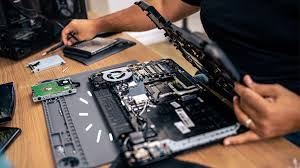
You Have a Business to Run. Let Technology Help You Run It Better.
Running a small or medium-sized business is challenging.
You must attract customers, manage employees, control expenses, maintain operations, compete with other businesses and deliver quality products or services.
Technology should make these responsibilities easier. However, many SMEs experience the opposite.
Their computers are ageing, their IT support is reactive, their websites are outdated, their online visibility is limited and they lack the resources to manage cybersecurity, digital marketing and e-commerce effectively.
Business owners often purchase technology and services from multiple providers without an overall plan.
One company repairs computers. Another manages the website. Someone else handles hosting. Marketing is undertaken occasionally, and cybersecurity is addressed only when a problem occurs.
This fragmented approach creates unnecessary complexity and costs.
KeenComputer proposes a practical alternative: one accountable technology partner helping your business modernize, operate efficiently and grow.
We help SMEs address six important business requirements:
-
Modernize computers and business IT infrastructure.
-
Improve cybersecurity and protect business information.
-
Develop and maintain professional WordPress websites.
-
Improve online visibility through digital marketing and SEO.
-
Establish online sales through WooCommerce and PayPal.
-
Provide ongoing IT, website and technology support.
KEENCOMPUTER.COM-SME BUSINESS TECHNOLOGY MODERNIZATION AND DIGITAL GROWTH PROPOSAL
A Practical Business Partnership for IT Modernization, Cybersecurity, Digital Marketing and E-Commerce
Prepared for: Small and Medium-Sized Business Owners
Prepared by: KeenComputer.com
Location: Winnipeg, Manitoba, Canada
Business Positioning: Your Outsourced IT and Digital Business Partner
Tagline: Engineered IT Solutions
1. EXECUTIVE SUMMARY
You Have a Business to Run. Let Technology Help You Run It Better.
Running a small or medium-sized business is challenging.
You must attract customers, manage employees, control expenses, maintain operations, compete with other businesses and deliver quality products or services.
Technology should make these responsibilities easier. However, many SMEs experience the opposite.
Their computers are ageing, their IT support is reactive, their websites are outdated, their online visibility is limited and they lack the resources to manage cybersecurity, digital marketing and e-commerce effectively.
Business owners often purchase technology and services from multiple providers without an overall plan.
One company repairs computers. Another manages the website. Someone else handles hosting. Marketing is undertaken occasionally, and cybersecurity is addressed only when a problem occurs.
This fragmented approach creates unnecessary complexity and costs.
KeenComputer proposes a practical alternative: one accountable technology partner helping your business modernize, operate efficiently and grow.
We help SMEs address six important business requirements:
- Modernize computers and business IT infrastructure.
- Improve cybersecurity and protect business information.
- Develop and maintain professional WordPress websites.
- Improve online visibility through digital marketing and SEO.
- Establish online sales through WooCommerce and PayPal.
- Provide ongoing IT, website and technology support.
Our approach is based on your actual business requirements, available budget and priorities.
You do not have to purchase everything at once.
We identify the problems, recommend improvements and implement them in manageable stages.
Our commitment: Help you reduce technology problems, improve business efficiency, attract customers and create opportunities for growth.
2. UNDERSTANDING THE PROBLEMS FACING SME BUSINESS OWNERS
Before recommending technology, KeenComputer wants to understand the business owner's challenges.
The following problems are common across small and medium-sized businesses.
2.1 Technology and Computer Problems
- Computers running Windows 10.
- Ageing laptops and desktops.
- Computers that cannot support Windows 11.
- Slow systems affecting employee productivity.
- Unplanned hardware replacement expenses.
- Limited internal IT expertise.
- Inadequate computer maintenance.
- Inconsistent software licensing.
- No hardware lifecycle plan.
Our approach: Assess existing equipment, upgrade suitable computers, improve systems where practical and replace unsuitable equipment with affordable business-class refurbished laptops.
2.2 Cybersecurity Problems
- Phishing emails and fraudulent messages.
- Ransomware exposure.
- Weak passwords.
- Missing multi-factor authentication.
- Inadequate endpoint protection.
- Unverified backups.
- Insecure websites.
- Outdated WordPress installations.
- Unclear responsibility for security.
Our approach: Introduce practical cybersecurity measures covering computers, accounts, websites, backups and business information.
2.3 Website and Marketing Problems
- No professional business website.
- An outdated website that does not represent the business properly.
- Poor visibility on Google.
- Inadequate mobile experience.
- No regular website content.
- No clear customer enquiry process.
- Dependence on referrals.
- No structured digital marketing programme.
Our approach: Develop professional WordPress websites and implement practical SEO, local marketing, content and lead-generation activities.
2.4 Online Sales Problems
- Customers cannot purchase products online.
- Product information is not available in one place.
- Orders are processed manually.
- No shopping cart or online checkout.
- No integrated PayPal payment gateway.
- No structured order management.
Our approach: Implement WooCommerce e-commerce with product catalogues, checkout, payment integration and order management.
2.5 Financial and Management Problems
SME owners must make technology decisions while managing limited capital.
Common concerns include:
- Unpredictable IT spending.
- Expensive new computer purchases.
- Unnecessary software subscriptions.
- Multiple service providers.
- Emergency repair costs.
- Unclear return on technology investments.
- No planned IT or digital marketing budget.
Our approach: Prioritize investments according to business impact, urgency and available resources.
3. SERVICE AREA ONE: IT MODERNIZATION AND WINDOWS 11 PRO
Modernize Your Computers Without Replacing Everything
Windows 10 reached end of standard support on October 14, 2025.
Businesses continuing to operate Windows 10 systems should assess their security exposure and migration requirements.
The objective is not to replace every computer.
The objective is to identify which systems can be upgraded, which can be improved and which must be replaced.
3.1 Our Three-Category Computer Assessment
KeenComputer inventories the existing computer fleet and divides systems into three categories.
Category A: Eligible for Windows 11
Computers meeting Microsoft's supported hardware requirements may be upgraded in place.
Where the existing Windows 10 Pro licence provides the applicable upgrade entitlement, an additional Windows operating system purchase may not be necessary.
Category B: Suitable for Hardware Improvement
Some computers may become suitable after:
- RAM upgrades.
- SSD replacement.
- BIOS updates.
- TPM or firmware configuration.
- Secure Boot configuration.
- UEFI configuration.
All hardware and configuration changes must satisfy Microsoft's supported Windows 11 requirements.
Category C: Replace with Refurbished Business Computers
Computers that cannot meet Windows 11 requirements should be considered for replacement.
Rather than automatically purchasing new laptops, KeenComputer can help identify tested refurbished business-class equipment.
3.2 Our Computer Inventory Process
During the first assessment week, we record:
- Computer manufacturer and model.
- Processor.
- RAM.
- Storage.
- TPM status.
- Secure Boot status.
- BIOS and UEFI configuration.
- Operating system and edition.
- Installed business applications.
- Printer and peripheral requirements.
We can use PC Health Check, Windows management utilities and suitable inventory or remote monitoring tools.
The result is a device-by-device modernization plan.
3.3 Recommended Refurbished Laptop Specifications
We recommend business-class equipment rather than low-cost consumer laptops.
|
Component |
Recommended specification |
|---|---|
|
Processor |
Supported Intel 8th generation or newer, or compatible AMD Ryzen processor |
|
TPM |
TPM 2.0 |
|
Firmware |
UEFI with Secure Boot |
|
RAM |
16 GB |
|
Storage |
256 GB SSD minimum; 512 GB preferred |
|
Condition |
Grade A or A- |
|
Battery |
Target 80% or better health |
|
Warranty |
At least 12 months |
|
Operating system |
Genuine Windows 11 Pro |
Final processor eligibility must be checked against Microsoft's supported processor list.
Recommended business laptop families include:
- Dell Latitude.
- HP EliteBook and ProBook.
- Lenovo ThinkPad T and L Series.
Standardizing on one or two models simplifies repairs, spare parts, deployment and maintenance.
3.4 Hardware Procurement and Supplier Verification
KeenComputer will help identify reputable sources for refurbished business computers.
Potential procurement channels include:
- Microsoft Authorized Refurbishers.
- Manufacturer-certified refurbishment programmes.
- Established business hardware resellers.
- Suppliers offering documented testing and warranties.
We recommend verifying:
- Genuine Windows 11 Pro licensing.
- Warranty of at least one year.
- Documented hardware inspection.
- Certified data wiping.
- Battery condition.
- Return and replacement procedures.
- Volume pricing where applicable.
We avoid equipment supplied with questionable activation keys or no reliable warranty documentation.
3.5 Hardware Acceptance Testing
Before refurbished equipment reaches the customer, it should undergo acceptance testing.
KeenComputer's checklist includes:
- Verify processor, RAM and storage.
- Check SSD SMART health.
- Generate battery health reports.
- Test keyboard and display.
- Test USB ports and connectivity.
- Test Wi-Fi and webcam.
- Check BIOS passwords and configuration.
- Verify TPM and Secure Boot.
- Check for unwanted device-management or asset locks.
- Verify Windows activation and updates.
The objective is to reduce the possibility of delivering unsuitable equipment to the customer.
3.6 Genuine Windows 11 Pro Licensing
Business licensing must be handled properly.
KeenComputer will:
- Verify Windows 11 Pro activation.
- Retain licensing and purchase documentation.
- Review existing Windows entitlements.
- Check relevant Microsoft 365 Business licensing.
- Explain Windows Home versus Pro differences.
- Avoid unauthorized or grey-market activation keys.
Windows 11 Pro is generally appropriate for business environments requiring business security and management capabilities.
3.7 Standardized Windows 11 Deployment
We will establish a repeatable computer deployment process.
Each computer can receive:
- Clean Windows 11 Pro installation.
- Manufacturer drivers.
- Microsoft 365 configuration.
- Business applications.
- Endpoint protection.
- VPN configuration where required.
- BitLocker encryption.
- Multi-factor authentication.
- Secure administrative access.
Where appropriate, Microsoft Intune and Windows Autopilot can be considered for business device management.
3.8 Employee Data Migration
Replacing computers should not result in lost business information.
We can assist with:
- User documents.
- Desktop and profile data.
- Email configuration.
- OneDrive migration.
- File-server migration.
- Business application settings.
- Printer configuration.
- User acceptance testing.
We recommend starting with two or three pilot users before deploying to the entire business.
The remaining systems can then be migrated in controlled groups.
3.9 Secure Retirement of Old Computers
Old business computers may contain confidential customer, employee and financial information.
KeenComputer can coordinate:
- Data backup verification.
- Secure drive wiping.
- NIST SP 800-88-aligned sanitization procedures.
- Data destruction documentation.
- Recycling or resale where appropriate.
- Asset register updates.
3.10 Windows 10 ESU: A Temporary Bridge
Some businesses may need additional time before replacing particular Windows 10 systems.
Commercial Extended Security Updates may provide a temporary security update arrangement for eligible devices.
However, ESU should not become a permanent hardware strategy.
The supplied planning material identifies indicative commercial ESU costs of $122 per device in Year 2, $183 for late enrolment and $427 over three years.
Actual pricing, eligibility and enrolment conditions must be confirmed against Microsoft's current programme before quotation.
KeenComputer recommends:
- Upgrade eligible computers.
- Replace unsuitable older computers where financially practical.
- Use ESU only for exceptional systems that require a temporary bridge.
- Establish a firm retirement date for systems remaining on Windows 10.
- Restrict or isolate legacy equipment where appropriate.
4. SERVICE AREA TWO: IT SUPPORT AND CYBERSECURITY
Protect Your Business and Keep Employees Working
A computer problem can affect an employee's entire working day.
A security incident can affect the entire business.
KeenComputer provides practical IT support and security services designed around SME requirements.
Computer and IT Support
- Remote troubleshooting.
- On-site support.
- Hardware and software diagnosis.
- Windows maintenance.
- Application installation.
- Printer and peripheral support.
- Network and Wi-Fi troubleshooting.
- User account management.
- Asset tracking.
Cybersecurity
- Endpoint protection.
- Antivirus and EDR solutions where appropriate.
- MFA implementation.
- Secure administrative accounts.
- Software and firmware updates.
- Backup monitoring.
- Vulnerability assessments.
- Phishing awareness.
- Network security reviews.
Business Backup and Recovery
We help SMEs establish backup arrangements for:
- Employee documents.
- Business files.
- Accounting data.
- Website files.
- Databases.
- Critical configurations.
We recommend testing recovery rather than simply assuming backups are working.
Business result: Better visibility into IT risks, reduced avoidable disruption and a more structured support environment.
5. SERVICE AREA THREE: PROFESSIONAL WORDPRESS WEBSITE DEVELOPMENT
Your Website Should Help Customers Choose Your Business
Your website is often the first interaction a potential customer has with your company.
It should explain your services, demonstrate credibility and make it easy for customers to take the next step.
KeenComputer develops professional WordPress websites for SMEs.
Typical Website Structure
- Home.
- About Us.
- Products and Services.
- Industry or Customer Solutions.
- Testimonials.
- Case Studies.
- Blog and Business Insights.
- Contact Us.
Website Features
- Responsive mobile design.
- WordPress content management.
- Contact and quotation forms.
- Business email integration.
- Product and service pages.
- Google Maps.
- Search engine-friendly URLs.
- Metadata and descriptions.
- Image optimization.
- Analytics.
- Search Console.
- XML sitemap.
- Structured data where appropriate.
Website Security and SSL
Every business website should use properly configured HTTPS.
KeenComputer can provide:
- SSL/TLS certificate configuration.
- HTTPS redirection.
- WordPress hardening.
- Secure administrator access.
- Website backups.
- Malware monitoring.
- Software updates.
- Recovery assistance.
An SSL certificate encrypts communications but does not independently protect a website from hacking or establish payment security compliance.
Website Hosting and Maintenance
We can provide managed website arrangements covering:
- Hosting configuration.
- Domain and DNS management.
- SSL renewal.
- WordPress updates.
- Plugin and theme updates.
- Backup monitoring.
- Security monitoring.
- Performance improvements.
- Content changes.
Business result: A professional and maintainable online presence.
6. SERVICE AREA FOUR: DIGITAL MARKETING AND LEAD GENERATION
Help Potential Customers Find Your Business
A website without visitors will not generate many business opportunities.
Your business needs a practical strategy for attracting the right customers.
KeenComputer helps SMEs improve their digital presence through search engine optimization, local marketing and useful business content.
6.1 Search Engine Optimization
Services include:
- Keyword research.
- Website technical SEO.
- Local SEO.
- Service-page optimization.
- Metadata and headings.
- Internal linking.
- Structured data.
- Google Search Console.
- Search performance monitoring.
6.2 Google Business Profile
We help local businesses improve their online business information.
Activities include:
- Business profile setup.
- Business descriptions.
- Service categories.
- Operating hours.
- Business photographs.
- Customer review strategy.
- Website links.
- Local search optimization.
6.3 Content Marketing
We help develop content that addresses customer problems.
Examples:
- Educational articles.
- Frequently asked questions.
- Product guides.
- Service explanations.
- Customer case studies.
- Industry insights.
- Buying guides.
6.4 Social Media Marketing
Depending on your customers and industry:
- LinkedIn.
- Facebook.
- Instagram.
- Other relevant channels.
We can help with content planning, business updates and campaign coordination.
6.5 Website Lead Generation
Your website should encourage visitors to take action.
We can implement:
- Request-a-quote forms.
- Appointment enquiries.
- Contact forms.
- Service landing pages.
- Telephone and email calls to action.
- CRM integration.
- Analytics and conversion tracking.
6.6 Measuring Marketing Performance
We recommend monitoring:
- Website visitors.
- Search impressions.
- Relevant search clicks.
- Enquiries.
- Qualified leads.
- Conversion rates.
- Cost per lead where advertising is used.
We focus on improving measurable business outcomes rather than simply increasing website traffic.
7. SERVICE AREA FIVE: E-COMMERCE AND PAYPAL
Make It Easier for Customers to Buy from You
If your business sells products or services, an online store can provide an additional sales channel.
KeenComputer uses WordPress and WooCommerce to develop practical online stores.
E-Commerce Features
- Product catalogues.
- Product descriptions.
- Product photographs.
- Pricing.
- Product categories.
- Shopping cart.
- Checkout.
- Customer accounts.
- Inventory management.
- Shipping configuration.
- Tax configuration.
- Order management.
- Customer notifications.
PayPal Payment Gateway Integration
We can integrate PayPal with WooCommerce.
Services include:
- PayPal Business account integration.
- Payment gateway configuration.
- Checkout configuration.
- Payment testing.
- Order confirmation testing.
- Refund workflow testing.
- Payment status verification.
Supported payment methods depend on PayPal eligibility, country, account configuration and transaction conditions.
The SME retains ownership and control of its PayPal Business account.
Payment processing fees are determined by the payment provider.
Secure E-Commerce
We configure:
- HTTPS throughout the store.
- SSL/TLS certificates.
- Secure WordPress administration.
- Updated WooCommerce components.
- Appropriate payment provider integration.
- Backup and recovery arrangements.
Customer card details should be processed through the supported payment provider checkout, rather than stored directly on the business website.
Business result: A functioning online sales channel with product management and online payment capability.
8. SERVICE AREA SIX: ONGOING TECHNOLOGY MANAGEMENT
Your Technology Requires Continuous Attention
Once computers, websites and online stores are deployed, they require maintenance.
KeenComputer can provide ongoing managed services.
Managed IT
- Patch management.
- Computer monitoring.
- Endpoint security.
- Backup monitoring.
- Help-desk support.
- Hardware lifecycle management.
- Asset tracking.
Managed Website
- WordPress updates.
- Plugin updates.
- SSL monitoring.
- Website backups.
- Security checks.
- Performance reviews.
- Content updates.
Managed Digital Marketing
- SEO activities.
- Content development.
- Website improvements.
- Google Business Profile management.
- Monthly reporting.
- Lead-generation improvements.
Managed E-Commerce
- Product updates.
- Pricing changes.
- Inventory support.
- WooCommerce maintenance.
- Checkout testing.
- Payment gateway troubleshooting.
The scope and frequency of support will be agreed in the service contract.
9. PRACTICAL SME SERVICE PACKAGES
We recommend three main engagement levels, with specialist add-on projects.
PACKAGE 1: BUSINESS READINESS CHECK
For business owners who want to understand their current situation.
Includes:
- Computer inventory.
- Windows 11 compatibility.
- Hardware upgrade recommendations.
- Cybersecurity review.
- Backup review.
- Website assessment.
- SSL review.
- Basic SEO assessment.
- Digital presence review.
- Written improvement plan.
Deliverable: A practical report identifying problems, priorities, estimated costs and next steps.
Best suited to owners who want clarity before investing.
PACKAGE 2: BUSINESS MODERNIZATION
For SMEs ready to improve their technology.
Includes agreed services from:
- Windows 11 migration.
- Refurbished computer sourcing.
- Genuine Windows 11 Pro licensing.
- Standardized computer deployment.
- Data migration.
- Cybersecurity configuration.
- WordPress website development.
- SSL and hosting configuration.
- Basic SEO.
- Website enquiry forms.
Optional additions:
- WooCommerce.
- PayPal.
- Product catalogue.
- Shipping and tax configuration.
Deliverable: A modernized computer environment and professional online business presence.
Best suited to SMEs undertaking an IT or website modernization project.
PACKAGE 3: MANAGED BUSINESS TECHNOLOGY AND DIGITAL GROWTH
For SMEs that need continuing external support.
Includes selected services from Package 2, followed by agreed recurring services:
- Managed IT.
- Computer security.
- Backup monitoring.
- Website maintenance.
- SSL management.
- SEO.
- Content updates.
- Digital marketing reporting.
- E-commerce maintenance.
- Technical support.
Deliverable: An ongoing technology partnership with defined responsibilities and predictable service arrangements.
Best suited to businesses without a dedicated internal IT department.
10. HOW WE IMPLEMENT THE PROJECT
We follow a practical, staged implementation process.
|
Phase |
Activities |
Deliverable |
|---|---|---|
|
1. Discovery |
Understand the business and its problems |
Requirements |
|
2. Assessment |
Review IT, security and digital presence |
Assessment report |
|
3. Planning |
Prioritize work and estimate costs |
Project plan |
|
4. Preparation |
Procure equipment and configure services |
Ready-to-deploy systems |
|
5. Implementation |
Migrate computers, websites or online stores |
Working solutions |
|
6. Testing |
Verify functionality, security and compatibility |
Acceptance checklist |
|
7. Handover |
Train users and document systems |
Handover package |
|
8. Support |
Maintain and improve the environment |
Ongoing service |
The duration depends on the agreed scope.
A small website or computer refresh may be completed relatively quickly. A larger migration, e-commerce implementation or multi-device deployment will require additional planning.
11. BUSINESS VALUE AND RETURN ON INVESTMENT
We believe technology investments should have a business justification.
KeenComputer will help you evaluate improvements in five areas.
1. Cost Reduction
- Upgrade suitable existing computers.
- Use refurbished business laptops where appropriate.
- Reduce emergency repair spending.
- Plan equipment replacements.
- Review unnecessary software and subscriptions.
2. Productivity
- Improve computer reliability.
- Standardize employee systems.
- Reduce technical interruptions.
- Improve access to business information.
3. Risk Reduction
- Use supported operating systems.
- Improve endpoint security.
- Protect business information.
- Test backups.
- Secure websites and online stores.
4. Customer Acquisition
- Improve Google visibility.
- Develop useful website content.
- Improve enquiry processes.
- Track marketing performance.
5. Additional Sales Opportunities
- Publish product catalogues.
- Enable online checkout.
- Integrate PayPal.
- Improve order management.
We will use actual business information to establish realistic targets. We do not promise guaranteed revenue, search rankings or lead volumes.
12. WHY KEENCOMPUTER?
One Accountable Technology Partner
SMEs often lack the time and resources to coordinate several technology suppliers.
KeenComputer brings together the capabilities required to manage important parts of your digital business.
Our approach emphasizes:
Practicality: Solutions appropriate for your business size and budget.
Accountability: One partner coordinating the agreed services.
Transparency: Clear scope, pricing and deliverables.
Continuity: Technology planning beyond the initial installation.
Local support: Winnipeg-area businesses can discuss on-site and remote support arrangements.
Cost awareness: We recommend what is necessary, not simply what is expensive.
We do not believe every SME needs enterprise-level infrastructure or a large technology budget.
We believe every SME deserves reliable, secure and appropriately managed technology.
13. YOUR FIRST STEP: A BUSINESS DISCOVERY CONVERSATION
Let's Understand Your Business Before Recommending Solutions
We invite you to a free 30-minute SME Business Technology and Digital Readiness Consultation.
During the conversation, we would like to understand:
Your operations
- How many employees use computers?
- What are your most important business applications?
- What technology problems interrupt your work?
Your IT
- How many computers are running Windows 10?
- Do you have regular backups?
- Who provides your IT support?
Your website and marketing
- Does your website generate enquiries?
- Can customers find you on Google?
- Do you have a regular marketing programme?
Your online sales
- Do you sell products or services online?
- Would a WooCommerce store help your business?
- Would online payments simplify transactions?
Your priorities
- What is your biggest business challenge?
- What would you like to improve over the next 12 months?
- What investment level is practical?
Following this discussion, we can recommend an appropriate assessment or project.
You are not required to purchase all our services.
We want to identify what matters most and what should be addressed first.
14. OUR INVITATION
Your Business Has Enough Challenges. Technology Should Not Be Another One.
Your computers should support your employees.
Your security arrangements should protect your business.
Your website should help customers understand and trust your services.
Your marketing should help potential customers discover you.
Your online store should make purchasing convenient.
Your technology partner should help bring these elements together.
KeenComputer is ready to help you take the next practical step.
Book your free 30-minute SME Business Technology and Digital Readiness Consultation.
Let's identify your problems, prioritize your investments and develop a realistic improvement plan.
KEENCOMPUTER.COM
ENGINEERED IT SOLUTIONS
Modernize Your IT. Protect Your Business. Improve Your Online Presence. Attract More Customers.
Your Outsourced IT and Digital Business Partner.
Website: https://keencomputer.com
Prepared for Small and Medium-Sized Business Owners
Commercial and implementation notes: Project pricing will be based on the agreed scope. Hardware, software licensing, hosting, domains, paid WordPress extensions, advertising expenditure and third-party payment fees will be identified separately. Microsoft Windows licensing, ESU eligibility and prices, supported hardware specifications, PayPal availability and third-party terms must be verified at the time of quotation. All migrations and security work will be subject to compatibility, backup and acceptance checks.
My recommendation: How KeenComputer should sell this
The proposal should be supported by three concrete entry-level offers:
|
Entry offer |
Purpose |
Next commercial step |
|---|---|---|
|
Free 30-minute discovery |
Understand owner concerns |
Business assessment |
|
SME IT and Digital Readiness Assessment |
Identify problems and priorities |
Fixed-scope project |
|
Modernization and Growth Project |
Implement agreed solutions |
Monthly managed services |
This is important because the SME owner may initially contact KeenComputer about a slow computer, Windows 10, or an outdated website. That initial problem can lead to a broader business relationship over time.
The Windows 11 implementation and refurbishment methodology in the proposal is based on your supplied material.
Pasted text(1).txt
The strategic objective should be to turn KeenComputer from a supplier of individual IT services into a long-term SME technology partner.