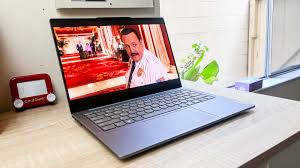
Technology investments are among the most important decisions for any small or medium-sized enterprise (SME). Computers, printers, software, networking, and cybersecurity directly influence employee productivity, customer service, business continuity, and profitability. As Microsoft ends support for Windows 10, many organizations face a significant question: How can we modernize our IT environment without overspending?
The answer is to adopt a strategic purchasing approach rather than replacing equipment on an ad hoc basis. Instead of automatically buying brand-new hardware, businesses should evaluate whether existing systems can be upgraded, whether refurbished enterprise computers provide better value, or whether Linux can extend the life of older hardware. Likewise, ongoing operational costs such as printer consumables deserve attention, as quality remanufactured toner cartridges can significantly reduce annual printing expenses.
This guide provides practical recommendations for making informed purchasing decisions that balance cost, performance, security, sustainability, and long-term business value.
Strategic IT Buying Guide for Small and Medium-Sized Enterprises (SMEs)
A Practical Guide to Buying Refurbished Windows 11 Computers, Extending Older PCs with Linux, and Reducing Printing Costs with Remanufactured Toner
By KeenComputer.com
Introduction
Technology investments are among the most important decisions for any small or medium-sized enterprise (SME). Computers, printers, software, networking, and cybersecurity directly influence employee productivity, customer service, business continuity, and profitability. As Microsoft ends support for Windows 10, many organizations face a significant question: How can we modernize our IT environment without overspending?
The answer is to adopt a strategic purchasing approach rather than replacing equipment on an ad hoc basis. Instead of automatically buying brand-new hardware, businesses should evaluate whether existing systems can be upgraded, whether refurbished enterprise computers provide better value, or whether Linux can extend the life of older hardware. Likewise, ongoing operational costs such as printer consumables deserve attention, as quality remanufactured toner cartridges can significantly reduce annual printing expenses.
This guide provides practical recommendations for making informed purchasing decisions that balance cost, performance, security, sustainability, and long-term business value.
Why Strategic IT Procurement Matters
A reactive purchasing strategy often results in:
- Emergency hardware purchases
- Inconsistent computer models
- Higher support costs
- Increased cybersecurity risks
- Unplanned downtime
- Budget overruns
By contrast, a strategic procurement plan helps organizations:
- Standardize equipment across departments
- Improve cybersecurity and compliance
- Reduce total cost of ownership (TCO)
- Extend hardware life where appropriate
- Simplify technical support
- Plan technology refresh cycles
- Align IT investments with business objectives
Technology should be viewed as a long-term business asset rather than a one-time expense.
Step 1: Assess Your Current IT Environment
Before purchasing any new equipment, complete an inventory of your existing devices.
Record details such as:
- Computer model
- Processor generation
- Installed RAM
- Storage type (SSD or HDD)
- Operating system
- Device age
- Warranty status
- Primary user
- Business-critical applications
Classify each system into one of four categories:
- Ready for Windows 11 with no upgrades.
- Upgradeable with additional memory or an SSD.
- Suitable for Linux because Windows 11 is not supported.
- Ready for replacement.
This process often reveals that a significant portion of existing hardware can continue to provide value.
Choosing Between New, Refurbished, and Linux
Buy New When:
- Users require the latest processors or specialized graphics.
- Hardware will support demanding engineering, AI, or multimedia workloads.
- Long manufacturer warranties are essential.
Buy Refurbished When:
- Office productivity is the primary workload.
- Budget optimization is important.
- Enterprise reliability is preferred.
- Standardization is desired.
Install Linux When:
- Older hardware cannot run Windows 11.
- Business applications are web-based.
- Computers are used for kiosks, training, development, or administration.
- The goal is to extend equipment life and reduce electronic waste.
Many SMEs achieve the best results through a mixed environment of new systems, refurbished business computers, and Linux-based legacy workstations.
How to Select a Refurbished Business Laptop
A refurbished laptop should be evaluated as carefully as a new purchase.
Hardware
Look for:
- Intel Core i5 or i7 (8th Generation or newer) or AMD Ryzen 5/7
- Minimum 16 GB RAM
- 512 GB NVMe SSD
- Full HD (1920 × 1080) display
- TPM 2.0 and Secure Boot enabled
- Windows 11 Pro
- Wi-Fi 6 and Bluetooth
- USB-C, HDMI, and multiple USB ports
Battery
Request information on:
- Battery health
- Charging cycles (if available)
- Replacement availability
- Charger condition
Physical Condition
Inspect:
- Screen for scratches or dead pixels
- Keyboard wear
- Touchpad responsiveness
- Hinges
- Webcam and microphone
- Ports and connectors
- Cooling fan noise
Vendor Evaluation
Purchase from suppliers that provide:
- Hardware diagnostics
- Secure data erasure
- Clean Windows installation
- Warranty (preferably 90 days or longer)
- Return policy
- Responsive technical support
How to Select a Refurbished Business Desktop
Desktop computers generally provide greater performance and easier upgrades than laptops.
Recommended Specifications
- Intel Core i5 or i7 (8th Generation or newer), or AMD Ryzen 5/7
- 16 GB RAM (32 GB for engineering or development)
- 512 GB NVMe SSD
- Windows 11 Pro
- TPM 2.0
- Gigabit Ethernet
- Dual-monitor support
Upgrade Potential
Choose systems with:
- Additional RAM slots
- Extra drive bays
- PCIe expansion slots
- Replaceable power supply
- Easy access for maintenance
Form Factor
Select the right form factor for the workspace:
- Mini PC – Space-saving, limited expansion
- Small Form Factor (SFF) – Balanced size and expandability
- Mini Tower – Excellent upgrade potential
- Tower Workstation – Best for engineering, CAD, and AI workloads
Laptop or Desktop?
Choose hardware based on job requirements.
|
Role |
Recommended Device |
|---|---|
|
Accounting |
Desktop |
|
Reception |
Desktop |
|
Customer Service |
Desktop |
|
Sales |
Laptop |
|
Executives |
Laptop |
|
Engineers |
Desktop Workstation |
|
Developers |
Desktop or Laptop with Dock |
|
Remote Workers |
Laptop |
|
Warehouse |
Laptop or Tablet |
Matching the device to the user's role improves productivity and reduces unnecessary spending.
Extend the Life of Older Computers with Linux
Older computers that do not support Windows 11 may still be valuable.
Linux distributions such as Ubuntu LTS, Kubuntu LTS, Linux Mint, and Zorin OS offer secure, stable environments for:
- Office productivity
- Web applications
- Software development
- Training labs
- Kiosks
- Network monitoring
Before migrating, verify that business-critical software is available on Linux or has a suitable web-based or open-source alternative.
Reduce Printing Costs with Remanufactured Toner
Printing costs can represent a significant operational expense. High-quality remanufactured toner cartridges provide an opportunity to lower costs while supporting sustainability.
When selecting remanufactured toner:
- Confirm compatibility with the printer model.
- Compare page yield rather than cartridge price alone.
- Purchase from suppliers offering warranties and quality testing.
- Check reviews and supplier reputation.
- Participate in cartridge recycling programs where available.
For many organizations, remanufactured toner offers an attractive balance of cost savings and reliable print quality for everyday business documents.
Think in Terms of Total Cost of Ownership (TCO)
The purchase price is only one component of the overall cost of technology.
Evaluate:
- Initial purchase price
- Warranty
- Upgradeability
- Energy efficiency
- Maintenance
- Software licensing
- Security
- Productivity
- Expected service life
- Disposal and recycling
Selecting business-class equipment that is easy to maintain and upgrade often lowers costs over its lifetime.
SWOT Analysis
Strengths
- Reduced capital expenditure
- Enterprise-grade reliability
- Windows 11 compatibility
- Easier maintenance
- Lower environmental impact
Weaknesses
- Cosmetic wear on refurbished systems
- Battery degradation on some laptops
- Limited availability of identical models
Opportunities
- Standardize IT assets
- Adopt cloud and AI services
- Extend hardware life with Linux
- Reduce printing costs
- Support sustainability initiatives
Threats
- Purchasing from unreliable suppliers
- Unsupported legacy hardware
- Inadequate warranty coverage
- Delayed technology refresh planning
Procurement Best Practices
- Develop a three- to five-year technology roadmap.
- Standardize on a small number of hardware models.
- Verify Windows 11 compatibility before purchasing.
- Evaluate Linux for suitable legacy systems.
- Choose business-class hardware over consumer-grade devices.
- Keep an inventory of assets and warranties.
- Budget for cybersecurity, backups, and employee training.
- Review supplier performance regularly.
Sustainability and Responsible Procurement
Refurbished computers and remanufactured toner cartridges contribute to a circular economy by extending product life and reducing waste. Sustainable procurement can lower costs while supporting environmental goals and demonstrating responsible business practices.
How KeenComputer.com Can Help
KeenComputer.com helps SMEs modernize their technology through:
- Windows 11 readiness assessments
- Refurbished laptop and desktop procurement
- Linux migration planning
- Microsoft 365 implementation
- Managed IT services
- Cybersecurity and backup solutions
- Network infrastructure
- Website development using Joomla, WordPress, and eCommerce platforms
- Search engine optimization (SEO)
- Digital marketing and AI integration
How IAS-Research.com Can Help
IAS-Research.com provides consulting in:
- Software engineering
- Artificial intelligence
- Embedded systems
- Industrial IoT
- Systems engineering
- Digital transformation
- Technology evaluation
- Engineering research and development
Conclusion
Strategic IT purchasing is about making informed decisions that maximize value over the entire technology lifecycle. By assessing current assets, selecting the right mix of refurbished business computers, deploying Linux where appropriate, reducing printing costs with quality remanufactured toner, and evaluating every investment using total cost of ownership, SMEs can improve productivity, strengthen cybersecurity, and reduce operating costs.
Rather than viewing technology purchases as isolated events, organizations should establish a long-term procurement strategy that supports business growth, sustainability, and resilience. With thoughtful planning and experienced technology partners, SMEs can build an IT environment that remains secure, efficient, and adaptable for years to come.